




Turbulence comfort
Plain-language ride briefings and route colouring help explain expected conditions where data is available.
Your flight tracker & travel companion.
Track arrivals and gate changes. Share a flight with the people waiting. Find a little calm along the way.
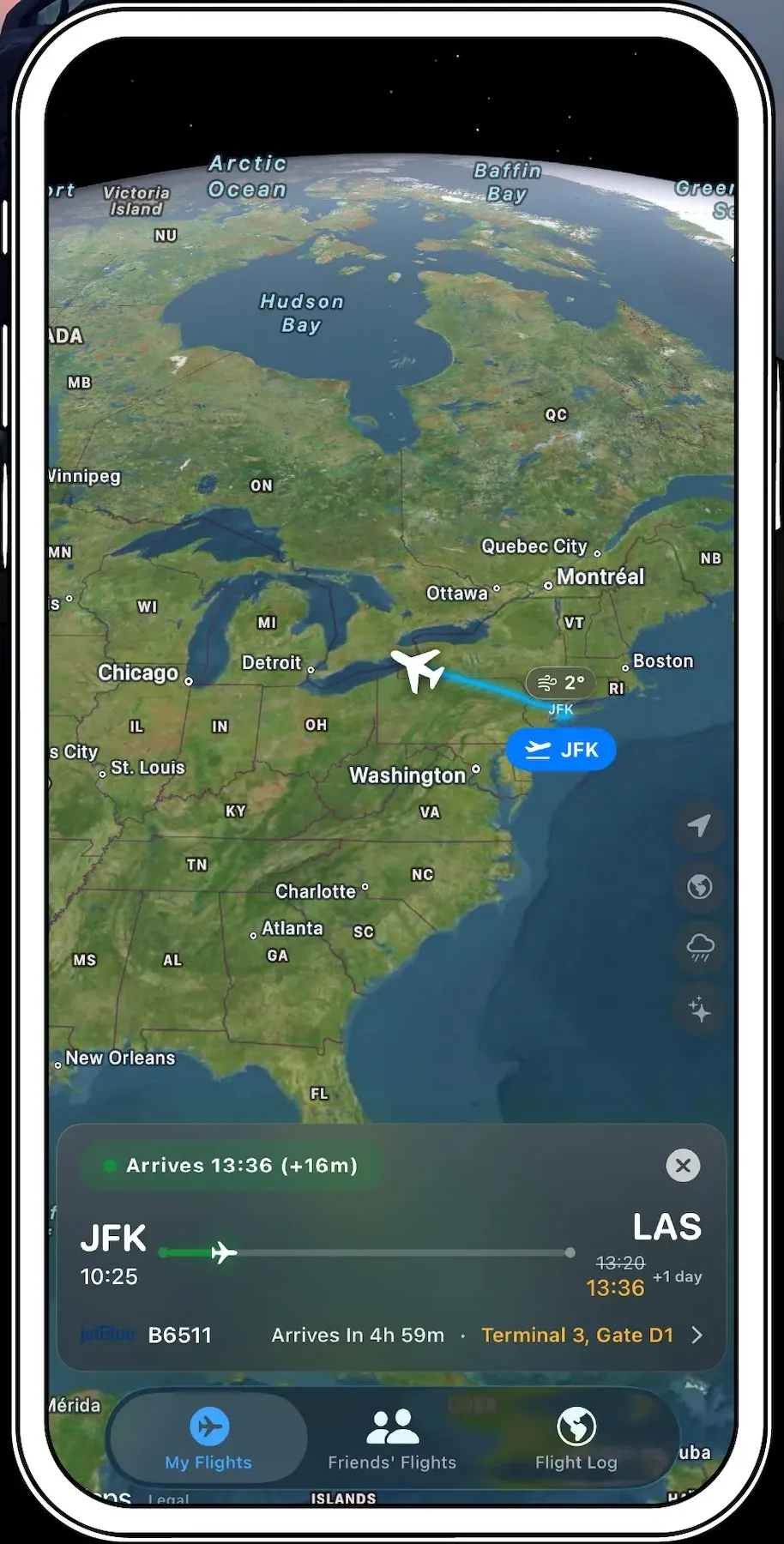
Follow the route. Check the arrival and gate.
Actual app screen · Preview, not live flight dataExplore flight trackingFrom planning to arrival
What brings you here?
Start with timing and gate updates, then explore the rest of your journey.
See the latest arrival time alongside the gate and terminal. When the timing changes, you can adjust your plans.

Actual shared-flight screen
Someone meeting you? Share a flight by link, code, or QR code. They can open the flight details and track it on the map.
They can follow the arrival.
You can put your phone away.
Once you’re on board, turn to Nervous Flyer Mode for guided breathing, calming sounds, and small games to hold your attention when you’d rather think about something else. Included with First Class.
What is First Class? It is the optional premium plan, adding calming tools, unlimited tracking, Skye, and more travel support.
Follow a comfortable rhythm and stop whenever you wish. The preview pauses when you leave this section.

Live Activities · First Class
Your flight’s progress, arrival countdown, and latest details. Right on your Lock Screen.
The places you’ve been. The distance you’ve travelled. Keep your flights together in a personal Flight Log, with a passport that tells your story.

Your travels, collected
Turn through a sample traveller’s keepsake: a gold-embossed cover and stamped pages. Not a travel document.
A cover that reflects your country. In the app, the gold cover stamp changes to the country emblem associated with your selected citizenship, where an emblem is available. Choose your country in your profile to personalize it. This web sample uses a generic globe.
Cover
Swipe or drag to turn. Tap the right edge to go forward, the left edge to go back. Use arrow keys when focused.
Skye · First Class
Your AI travel assistant helps you understand flight details and find useful travel information. Ask naturally, then follow up. Flight changes that need approval stay in your control.

Pet Mode · First Class
Keep your pet’s profile and travel details together. Look up airline policies, airport relief facilities, and destination import requirements before you leave.

United States (import)For: Dogs
View official source →
From cabin requirements to arrival documents, prepare for the companion coming with you.
More tools for the journey.
Plain-language ride briefings and route colouring help explain expected conditions where data is available.
See a typical cabin layout and where your seat sits before boarding.
Add flights to your calendar, import them from it, and capture boarding-pass details with less typing.
Check entry requirements, destination exchange rates, and weather radar.
Keep key flight information close and return to saved details offline.
Bring multiple flights into one trip and follow the journey on a timeline.
True Skies First Class
Start with Free. Explore First Class for more tracking, calming tools, and travel support.
How True Skies compares
Compare selected flight-tracking and travel-planning features, side by side.
| Features | True Skies | Flighty | Flightradar24 | FlightAware | TripIt |
|---|---|---|---|---|---|
| Live aircraft position on a map | Yes | Yes | Yes | Yes | Not found in official documentation |
| Lock Screen Live Activities | YesFirst Class | YesPro | YesFree · account required | Not found in official documentation | Not found in official documentation |
| Share flight or trip details | Yes | Yes | Yes | Yes | Yes |
| Personal travel logbook & statistics | YesBasic free · full with First Class | YesPassport · unlimited history with Pro | Via myFlightradar24 | Not found in official documentation | YesTrip statistics |
| AI-powered travel tools | YesConversational assistant (Skye)First Class | YesGate-to-gate AI guidePro | Not found in official documentation | Not found in official documentation | YesAI plan importTripIt Pro |
| Dedicated nervous-flyer calming tools | YesFirst Class | Not found in official documentation | Not found in official documentation | Not found in official documentation | Not found in official documentation |
| Dedicated pet profiles & travel guidance | YesFirst Class | Not found in official documentation | Not found in official documentation | Not found in official documentation | Not found in official documentation |
| Visa and entry requirements | YesFirst Class | Not found in official documentation | Not found in official documentation | Not found in official documentation | YesTripIt Pro |
| Currency exchange rates | YesFirst Class | Not found in official documentation | Not found in official documentation | Not found in official documentation | YesTripIt Pro |
| Android app | Yes | Not found in official documentation | Yes | Yes | Yes |
| Pricing | |||||
| Free plan available | Yes | Yes | Yes | Yes | Yes |
| Paid upgrades — US App Store | $44.99/yr or $4.99/mo | $59.99/yr or $9.99/mo | Silver and Gold; see in-app pricing | Ad removal $8.99/yr; tracking is free | $48.99/yr |
Checked October 2026 against official product pages, US App Store listings, Google Play listings and support documentation. Features refer to the iOS apps; Android availability is listed separately. ✓ marks a documented feature, with paid tiers and limits noted. — means an equivalent built-in feature was not found in the official documentation reviewed. Prices are listed US App Store prices and can vary by plan, offer and storefront; confirm the price in the app before subscribing. Feature scope and implementation differ between products. True Skies is not affiliated with the other companies named.
Take True Skies with you.