Explore your next journey.
Explore a sample flight, meet the aircraft, turn through a travel passport, and try the travel tools.
One flight, distinct milestones
Follow the whole journey.
Explore a sample New York → Las Vegas flight. Times are local to each airport.

Airline names and logos as the app shows them.
Incoming aircraft
The aircraft for this sample journey has reached New York. An incoming arrival is not a guarantee of an on-time departure.
Understand the app’s flight statuses
ScheduledWhat each flight status means.
Know your aircraft
Meet the plane.
Meet the aircraft you might fly on. Your assigned aircraft and cabin layout may vary.
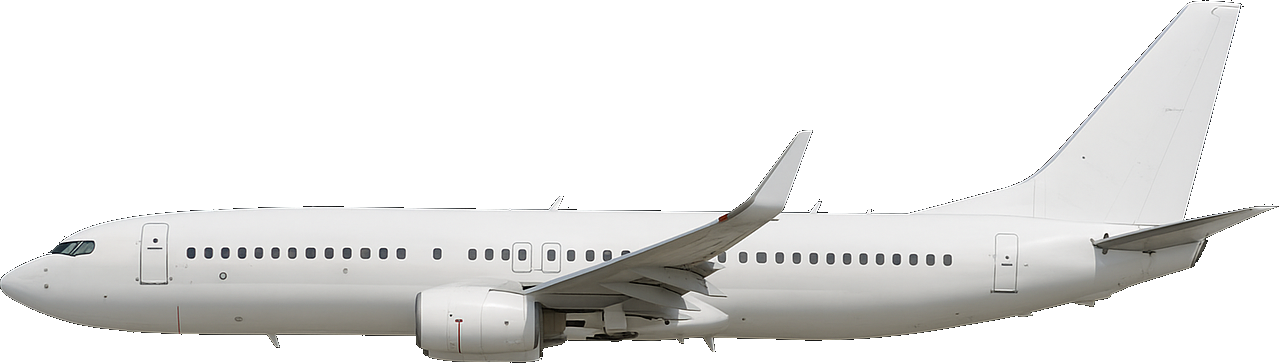
Boeing 737-800
- Manufacturer
- Boeing
- Aircraft codes
- B738 / 738
- Category
- Narrow-body · single aisle
Explore the cabin
Get to know your seat.
A small excerpt from the app’s bundled JetBlue A321 layout. This is a sample cabin, not current availability or a seat reservation. Airline configurations can change.
View seat details
Seat 1A
lie flat suite
- extra legroom
- power outlet
- entertainment
- window view
Less typing · First Class
From boarding pass to journey.
A sample walkthrough of the app’s capture-and-review flow. No camera permission, personal document, or account is needed.
JFK LAS
- Flight
- B6511
- Departure date
- 12 June 2026
- Passenger
- Sample Traveler
- Seat
- 10A
Step 1 of 3
Capture a boarding pass
In the app, start from a boarding pass. Nothing is uploaded or scanned on this page.
Flight updates, at a glance
The right detail, at the right moment.
Tap through a sample flight. Which alerts you actually receive depends on your plan, your settings, and the available data.

B6511 · Departure delayed
Now departing 10:41 — 16 minutes late
Your travels, collected
A passport with a story.
Turn through a sample traveller’s keepsake: a gold-embossed cover and stamped pages. Not a travel document.
A cover that reflects your country. In the app, the gold cover stamp changes to the country emblem associated with your selected citizenship, where an emblem is available. Choose your country in your profile to personalize it. This web sample uses a generic globe.
Cover
Swipe or drag to turn. Tap the right edge to go forward, the left edge to go back. Use arrow keys when focused.
Your month, remembered
Small journeys. A bigger story.
Explore a travel recap built the way the app’s flight-log summaries are. The totals below come from these sample flights, not from an account.
June in the skies
- Flights
- 3
- Sample distance
- 10,015 mi
- Time travelling
- 21h 40m
- JFK → LHR
- LHR → IST
- IST → JFK
Sample figures
Flight preview
Find the flight you’re following.
Enter an airline flight number, such as B6511, and its departure date in UTC. Preview searches cover yesterday through two days ahead. Times below are shown in UTC, not airport local time.
For ongoing tracking and alerts, open True Skies and search this flight number and date. Always follow airline and airport boarding instructions.


Connection time planner
Where does your layover go?
Subtract your own transfer and boarding allowances from the scheduled layover. This is a planning worksheet, not an airport minimum connection time or a prediction that you will make your flight.
40 minutes remaining, using your allowances.
Check terminal changes, passport control, security, baggage recheck, and separate tickets with your airline. The example allowances above are editable assumptions.
Understand flight data coverage →